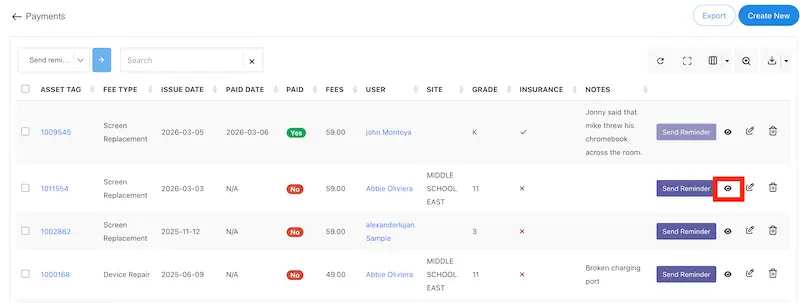
1) To create a printable invoice/receipt for a fine, after the fine has been created click on the eyeball icon to view the fine information.
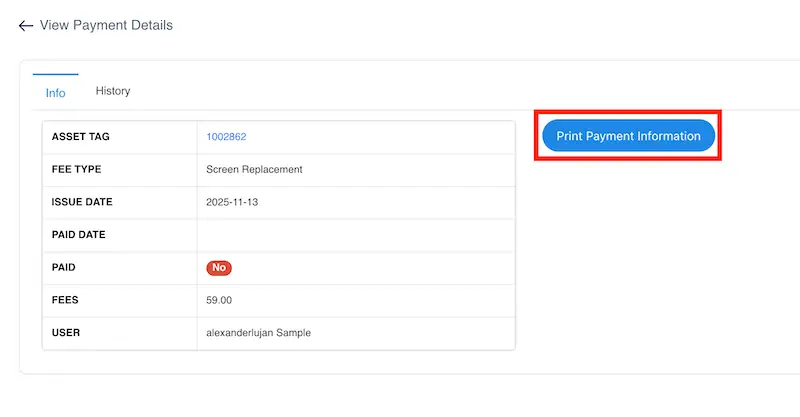
2) Click on the Print Payment Information button.
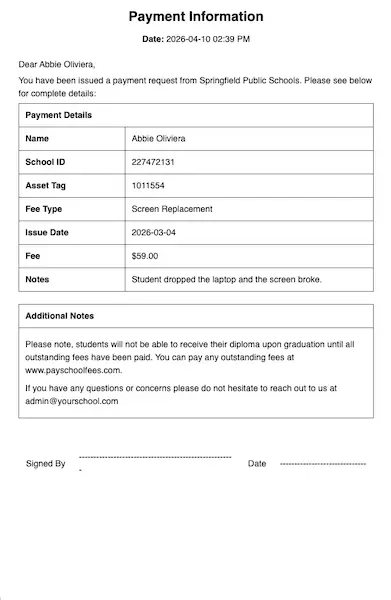
3) You can now print out this page to provide to a student.