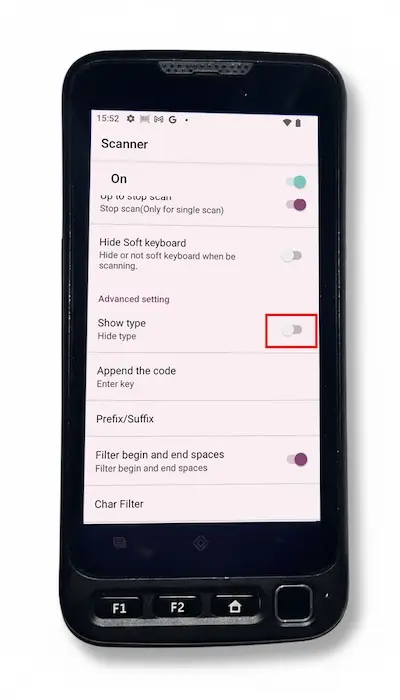
This troubleshooting is for the case if your scanner is adding “Type Code 39 Barcode:” in front of the barcode number when you scann it..
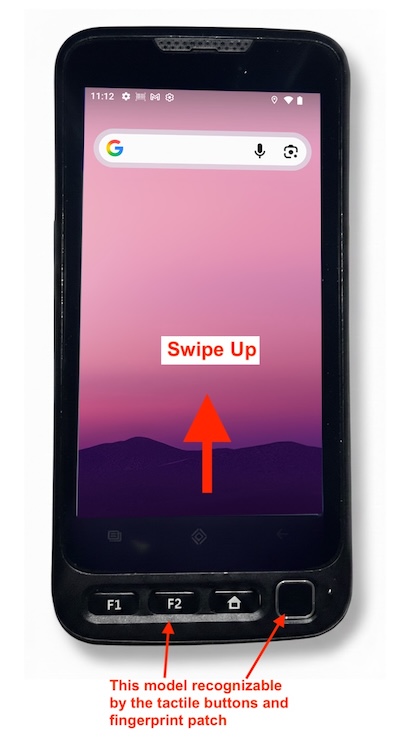
These instructions are for the Divot Assets V710 model of scanner. If you are unsure if this is the model you have the defining characteristics are having tactile buttons and a fingerprint patch at the bottom edge of the scanner.
1) Swipe up from the bottom edge of your scanner to display the App Drawer.
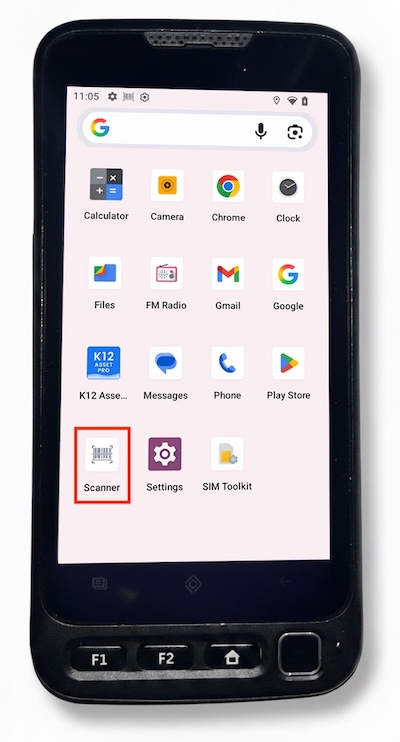
2) Select the “Scanner” app.
3) Ensure that the “Show Type” setting is toggled to Off.