New Scanner Features Are Live (Update Required)
We just released a new version of the Divot Assets Barcode Scanner app, and it is packed with features districts have been asking for: optional signatures on transfers, previous location visibility during audits, disposal requests straight from the scanner, and audit due date colors you control.
One important note before you dig in. This update is required. Please update your scanner as soon as possible so your team keeps scanning without interruption.
This is a required update. Here is how to get it installed.
What’s New in This Release

Optional Signature on Transfers
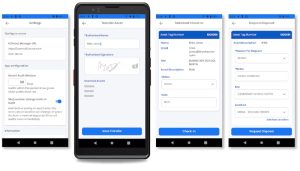
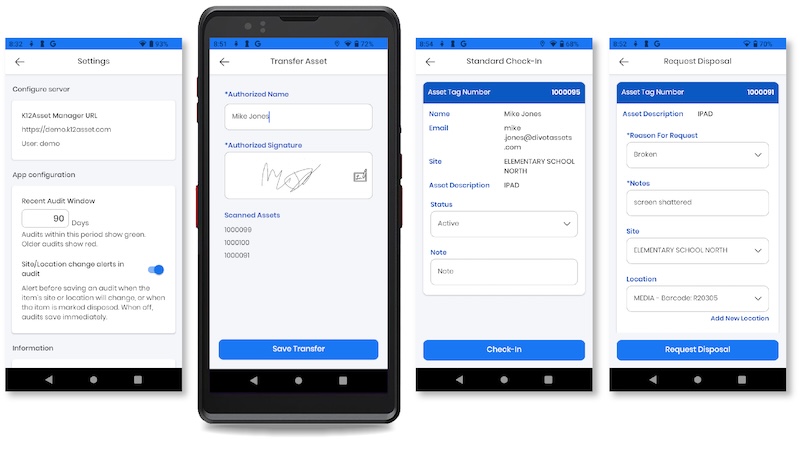
You can now require an on screen signature whenever a transfer is completed on the scanner, giving you an extra layer of accountability for asset movement. Because it is optional, you can turn it on for the handoffs where a signature matters and leave it off everywhere else.
Read the help article on transfers with signature
 See Previous Location During Audits
 See Previous Location During Audits
When an asset’s location has changed during an audit, the scanner will now show you the asset’s previous assigned location, so you can catch and confirm moves in real time rather than untangling them after the fact. This can be toggled on or off in your settings.
Read the help article on scanner audit settings
Request Disposals from the Scanner
 Request Disposals from the Scanner
Field staff can now submit a disposal request directly from the scanner. No more waiting to get back to a desktop to flag an asset for disposal, the request goes in while the device is still in front of you.
Read the help article on requesting disposals from the scanner
Custom Audit Due Date Thresholds
 Custom Audit Due Date Thresholds
You can now set how many days should pass before a Last Audit Date shows as green or red on the scanner: 30 days, 90 days, 365 days, whatever fits your workflow. This is configured per scanner in your settings, making it easier to see at a glance which assets are due for their next audit.
Read the help article on scanner audit settings
How to Update Your Scanner
Update your scanner today to start using these new tools. Our step by step instructions walk through updating or reinstalling the scanner software, and our support team is here if you run into any questions along the way. You can always reach us at support@divotassets.com.
Want a Walkthrough?
 Want a Walkthrough?
If you would like a quick tour of any of these new features with our team, grab a time that works for you.