If you add depreciation information to a Model Name it will act as the default values for any Assets created using that Model Name. This can be very helpful as typically all assets of the same Model will depreciate the same way.
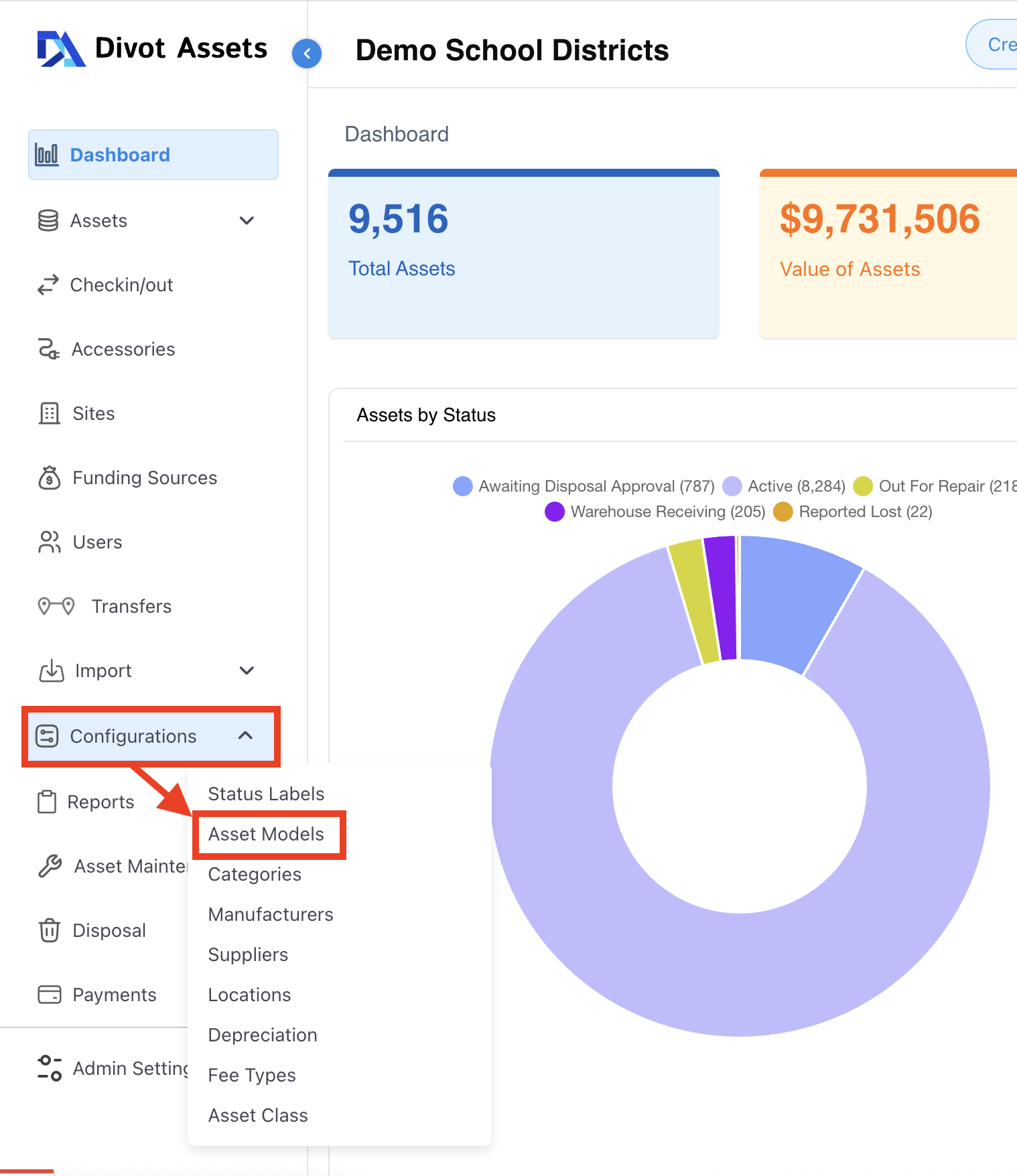
1) One the left side navigation go to Configurations > Asset Models.
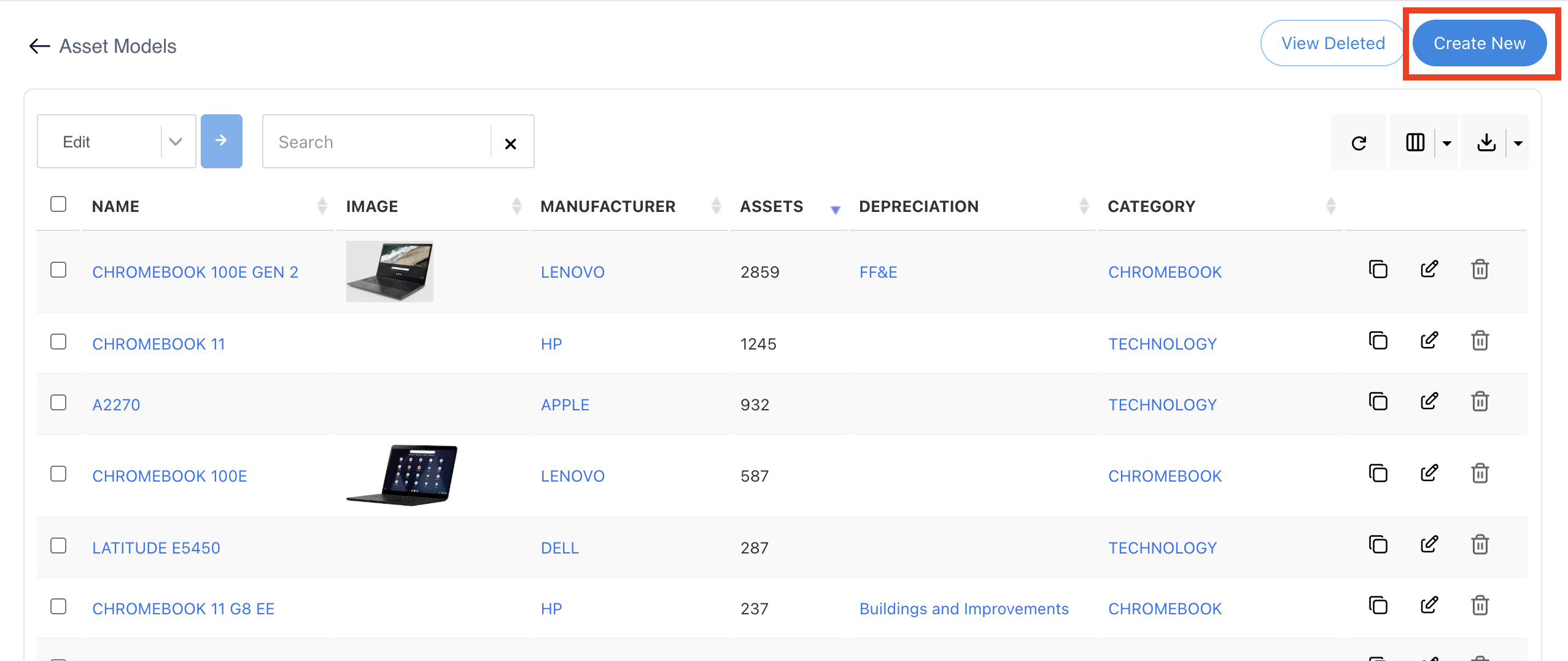
2) Next click on Create New to add a new Model Name.
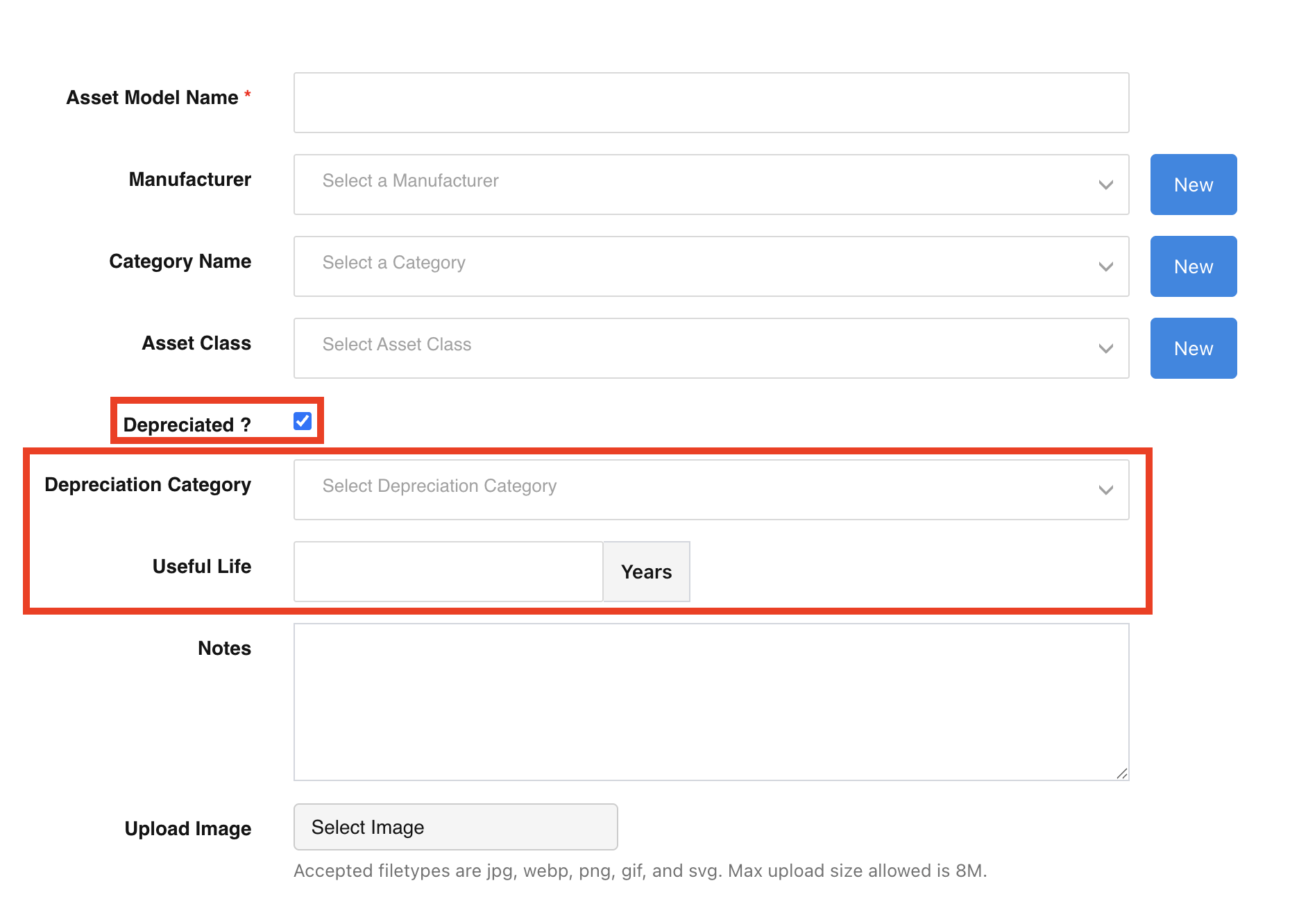
3) Fill out all relevant information with regards to the Model Name including Manufacturer, asset Category, Asset Class etc. Then select the checkbox next to “Depreciated?” This will display data fields for Depreciation Category and Useful Life.